
What Is a USB DAQ — and How Do You Choose One?
A plain-English guide to data acquisition over USB: what the specs actually mean, and how to pick a device that fits your signals instead of overpaying for ones you'll never use.
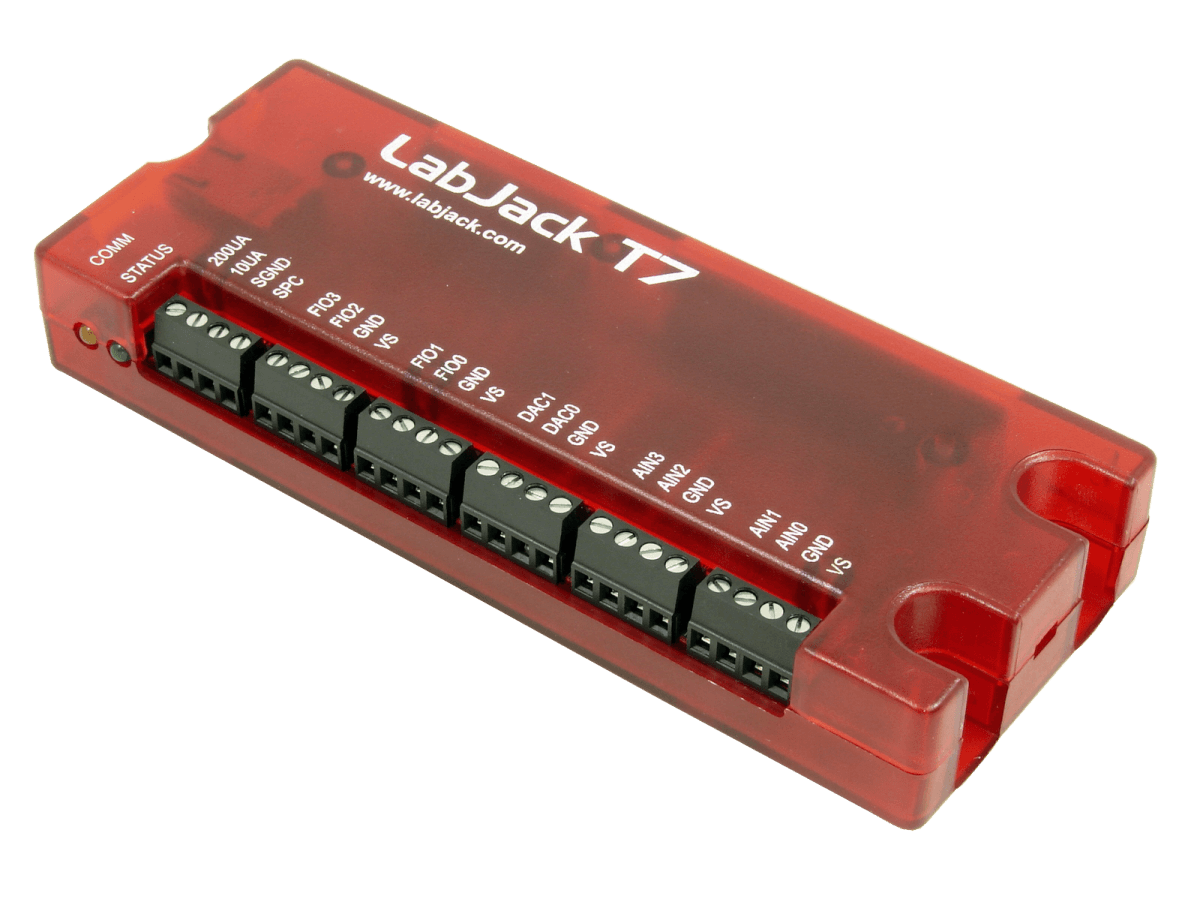
If you've ever needed to get a real-world signal — a temperature, a voltage, a strain reading — onto your computer so you can log it, plot it or act on it, you've needed a DAQ. And the easiest way to start is a USB DAQ. But the spec sheets are full of numbers (16-bit, 100 kS/s, ±10 V, single-ended vs differential) that don't mean much until someone connects them to your actual problem. That's what this guide does.
What "DAQ" means
DAQ stands for data acquisition — the process of measuring an electrical or physical signal and converting it into digital numbers a computer can use. A DAQ device is the hardware that does the conversion. A USB DAQ simply connects to your computer over a USB cable (many also offer Ethernet or WiFi), so you don't need an instrument rack or a plug-in card.
A typical DAQ device gives you some combination of:
- Analog inputs (AI): read continuous signals — voltage, and via sensors, temperature, force, pressure, etc.
- Analog outputs (AO): generate a voltage to drive or stimulate something.
- Digital I/O (DIO): read/write on/off signals, count pulses, generate PWM.
The device's job is to take a messy real-world signal and hand your software clean numbers.
Why engineers choose USB DAQ
USB DAQ devices are popular for benchtop testing, R&D, education and portable measurement because they're simple to connect to a laptop, lower cost for modest channel counts, and quick to deploy. You skip the bulky box instruments and the proprietary software, and you talk to the device from Python, C#, LabVIEW or MATLAB. Our deeper take on this shift — why engineers are moving off box instruments — covers the bench-level reasoning.
The specs that actually matter
1. Resolution (bits)
Resolution is how finely the device slices a signal. An ADC with n bits can represent 2ⁿ levels: an 8-bit ADC sees 256 steps, 16-bit sees 65,536 steps, 24-bit sees over 16 million. More bits means you can detect smaller changes.
Rule of thumb: match resolution to the smallest change you must see. Logging a 0–10 V signal to 1% accuracy? 12–16 bits is plenty. Measuring a few millivolts from a load cell or thermocouple? You want 24-bit, or a programmable gain amplifier to boost the signal before it's digitized.
2. Sample rate (samples per second)
Sample rate is how often the device reads the signal. The Nyquist theorem says you must sample at at least 2× the highest frequency you care about — but to capture the shape of a signal, aim for roughly 10×.
Rule of thumb:
- Temperature/humidity logging: a few samples per second is fine.
- Audio-band or vibration: tens of kS/s.
- Fast transients/waveforms: 100 kS/s or more.
Watch the difference between per-channel and aggregate rate — a device rated "100 kS/s total" split across 10 channels gives you 10 kS/s each.
3. Input range and the PGA
The input range (e.g., ±10 V, ±1 V, ±10 mV) must bracket your signal. A programmable gain amplifier (PGA) lets one device cover several ranges — amplifying small signals so you use the full resolution of the ADC. For example, a LabJack T7's PGA offers gains of ×1 to ×1000, giving ranges from ±10 V down to ±0.01 V.
4. Single-ended vs differential inputs
Single-ended inputs measure against a common ground — fine for clean, higher-level signals. Differential inputs measure the difference between two wires and reject noise picked up along the way — essential for low-level signals, long cable runs, thermocouples and bridge sensors. If you measure anything small or far away, prioritize differential channels.
5. Channel count and channel type
Count what you actually need: analog in, analog out, digital lines — and check whether the device reads your specific sensors (thermocouples, RTDs, strain bridges) directly, or needs external conditioning.
6. Connectivity and software
USB is simplest; Ethernet/WiFi lets the device sit on a network or feed SCADA via Modbus TCP. Check that the driver/library supports your language and OS. A device like the LabJack T7-Pro covers USB, Ethernet and WiFi and works from Python, C#, LabVIEW and MATLAB — a safe default when you're not sure how the project will grow.

A quick selection framework
- List every signal you need to measure or output. For each, note its range, its smallest meaningful change, and its fastest rate of change.
- Pick resolution from the smallest change (add a PGA if signals are tiny).
- Pick sample rate at ~10× the fastest signal — per channel.
- Pick input type (differential for low-level/noisy/long-run).
- Count channels with a little headroom for the next project.
- Confirm connectivity + language support.
Get those six right and the shortlist almost picks itself.
Matching to real devices
| Need | Sensible starting point |
|---|---|
| General-purpose ±10 V logging on a budget | LabJack T4 |
| Higher resolution, more channels, thermocouples, network | LabJack T7 / T7-Pro |
| Modular sensing + control (relays, motors, mixed sensors) | Phidgets VINT system |
You can see the full lineup of USB and Ethernet DAQ devices and compare resolution, channels and connectivity in one place.
Common mistakes to sidestep
- Over-buying sample rate for a slow process (paying for 100 kS/s to log temperature).
- Under-buying resolution for small signals (then fighting noise forever).
- Forgetting differential inputs for low-level measurements.
- Ignoring per-channel vs total sample-rate math.
- Choosing hardware before confirming software/language support.
In short
A USB DAQ is the fastest, cleanest way to turn real-world signals into data on your computer. Choose it by your signals — resolution for the smallest change, sample rate for the fastest, the right input type and channel count — not by the biggest number on the spec sheet.
Need help matching a DAQ to your signals?
Send us your signal list — ranges, the smallest change you need to see, and how fast they move — and we'll recommend a device that fits, with nothing wasted. Everything ships fast from local stock with genuine-product warranty.
Get a recommendation →